
Signs Saab Key Fob Battery Dead
Clicking your remote and getting no response is frustrating. Don’t worry—this is a common issue and easy to fix. Before you assume your remote is completely broken, look out for the clear signs your key fob battery is dead.
Here is exactly what to watch for:
- Shrinking range: You have to stand right next to your car for the remote to finally work.
- Multiple presses required: It takes three or four hard clicks just to lock the doors or pop the trunk.
- Total unresponsiveness: You get absolutely no response from the lock or unlock buttons.
- Dashboard alerts: Many models will flash a helpful low battery warning directly on the Saab Information Display (SID).
- Physical wear: If the sticky rubber coating on your fob is degrading into mush, it usually means the fob has seen enough years of use that the battery is also dying.
If you are experiencing any of these issues, you likely don’t need a brand-new remote. A simple Saab key fob battery replacement will bring your key back to life. Learning how to replace car key battery power takes just a few minutes and saves you a costly trip to the dealer.
Which Battery Does Your Saab Key Fob Use?
Поиск правильного Saab key battery type is straightforward, but it entirely depends on your vehicle’s model and year. Getting the right size is the first step before tackling your Saab key fob battery replacement.
Here is a quick breakdown of what you need:
- The Most Common: The standard CR2032 battery for key fob is the go-to choice. You will need this 3V lithium coin cell for 2003 and newer Saab 9-3 models, most Saab 9-5 models, and later releases.
- Older Variants: If you drive a pre-2003 Saab 9-5 or an early-generation Saab 9-3, you will likely need a CR1632 Saab remote battery.
How to Confirm and Buy
If you aren’t sure exactly what battery does a Saab key fob use for your specific trim, the best approach is to carefully open the key fob first. Check the engraved numbers on the back of the dead battery to confirm your exact car key fob battery type.
When it is time to buy, always opt for trusted, reputable brands like Energizer, Duracell, or Panasonic. Cheap, generic batteries might save you a dollar today, but they drain incredibly fast. Just as we recommend when outfitting our other smart keys, like our Mazda key remote replacements, investing in a premium name-brand battery ensures you get a strong, reliable signal that lasts.
Tools You’ll Need for a DIY Saab Key Fob Battery Swap
I always recommend gathering the right tools before you start tearing into your remote. You don’t need a massive toolbox to figure out how to open a Saab key fob, but having a few specific items makes your Saab key fob battery replacement completely foolproof and prevents damage to the fragile plastic shell.
Here is exactly what you need to get the job done quickly:
- Small flathead screwdriver: A precision screwdriver or a dedicated plastic pry tool is your best bet for safely separating the two halves of the remote.
- Metal emergency key blade: If you drive a newer Saab 9-3, you don’t even need extra tools. You can simply pull out the hidden metal key blade from the fob itself and use it to pry the casing open.
- Corkscrew: It sounds odd, but a standard wine corkscrew is actually the perfect tool to push and pop the back cover release on older 9-5 styles, particularly if you are still driving one of the classic 1999 models.
- Clean workspace and good lighting: These remotes have tiny internal parts. A clear, brightly lit desk ensures you will not lose any internal buttons, springs, or battery contacts when the shell finally pops apart.
Step-by-Step Saab 9-3 Key Fob Battery Replacement (2003-2011 Models)
Проведение DIY Saab key fob battery swap on a 2003-2011 Saab 9-3 is straightforward. I recommend setting up in a well-lit area so you don’t lose any small parts. Here is exactly how we get it done in just a few minutes:
- Remove the emergency key: First, press the small release button on the back of the remote and pull out the emergency metal key blade.
- Pry open the shell: Take that metal key (or a small precision flathead screwdriver) and insert it into the seam or side slot of the plastic casing. Carefully pry the shell open, applying even pressure so you don’t chip the plastic.
- Separate the halves: Take a quick mental note of the orientation, then gently pull the two sides apart.
- Take out the old battery: Gently lift the dead battery straight out from the metal contacts.
- Insert the new battery: Возьмите вашу новую Saab key fob battery CR2032 and place it into the slot. The positive (+) side usually faces down, but always double-check the visual markings stamped inside the housing to be completely sure. If you need help sourcing reliable replacements to avoid duds, take a second to choose the correct key fob battery for your specific keyless entry remote.
- Snap it shut: Line up the two plastic halves and squeeze them back together until they snap securely into place.
- Test the buttons: Press the lock and unlock buttons to see if it triggers a response before you head out to the car for a full re-sync.
Saab 9-5 Key Fob Battery Replacement Steps
If you own an older model, the process for a Saab 9-5 key fob battery replacement looks a bit different than the newer generations. The casing on these older remotes can get brittle over the years, so I always advise handling the fragile plastic gently to avoid unnecessary cracks or permanent damage.
Here is the exact step by step Saab key battery replacement process:
- Find the release: Look for the small side hole or cover release indent along the outer edge of the key fob.
- Pop the back cover: Insert a small precision flathead screwdriver—or even the tip of a corkscrew for some classic 9-5 styles—into the hole. Gently push or pry to pop the back cover off. Learning how to remove Saab key fob cover pieces without snapping the internal clips is the most critical part of this job.
- Remove the old battery: Slide or lift the dead battery out from under the metal prongs. Depending on your exact production year, this will usually be a CR1632 Saab remote battery or a standard CR2032.
- Install the new battery: Slide your fresh battery directly under the metal contacts and the retaining clip. Always verify that the positive (+) side is facing the correct direction before moving on.
- Snap it shut: Line up the plastic back cover with the main housing and press down firmly until you hear it snap securely back into place.
Take your time during the prying step. If you try to force the two halves apart too quickly, you might break the internal retaining tabs and end up having to buy a completely new shell.
Re-Synchronizing Your Saab Key Fob After Battery Change
If you find your Saab key fob not working after a battery change, don’t panic. Taking the old battery out causes a brief power interruption, which often makes the remote lose its connection with the vehicle’s receiver. To fix this, you just need to re-sync your Saab key fob.
Similar to resetting a standard 2-button keyless entry remote on other vehicles, getting your Saab key back online takes just a few seconds and doesn’t require any special technical skills.
How to Reprogram Your Saab Key Fob After Battery Replacement
Here is the straightforward method I use to get the fob communicating with the car again:
- Gain manual entry: If you are locked out of the car, simply use your spare physical key or slide the mechanical emergency blade out of your fob to unlock the driver’s side door manually.
- Insert the key: Sit in the driver’s seat and put your key directly into the center console ignition.
- Turn to the ON position: Turn the key to the “ON” position (do not crank the engine). Listen closely—you will usually hear the electronic steering lock make a distinct clicking noise.
- Test the remote: Turn the key back to the off position, remove it from the ignition, and press the lock/unlock buttons. Your key should now be fully synced.
What If It Still Won’t Sync?
For the vast majority of Saab owners, this quick ignition trick is the only step required for a Saab remote key battery change. In very rare instances, a prolonged power loss can cause the key to completely lose its pairing with the TWICE module. If the manual ignition reset fails repeatedly, you will likely need to visit a specialist or dealer equipped with a Tech 2 diagnostic tool to formally reprogram the system.
Saab Key Fob Not Working After Battery Change? Try This
You just finished your DIY Saab key fob battery replacement, but the remote is still completely unresponsive. Don’t worry. Here are the exact steps I use to troubleshoot a stubborn remote when a standard Saab remote key battery change doesn’t get the job done.
- Verify Battery Type and Polarity: Did you install the correct Saab key battery type? Pop the fob back open and make sure the positive (+) side of the battery is facing the correct direction. An upside-down battery is the quickest way to end up with a dead remote.
- Clean Dirty Contacts: Years of pocket lint and moisture can block the electrical connection. Take a cotton swab lightly dipped in isopropyl alcohol and gently wipe down the metal battery contacts inside the housing.
- Examine the Circuit Board: Look closely for broken solder joints or smashed internal buttons. If the main circuit board is cracked, a new battery won’t save it. Just like when a board fails on a 2019-2026 Dodge Challenger 3-button remote, a fried inWhen to Replace the Entire Fob
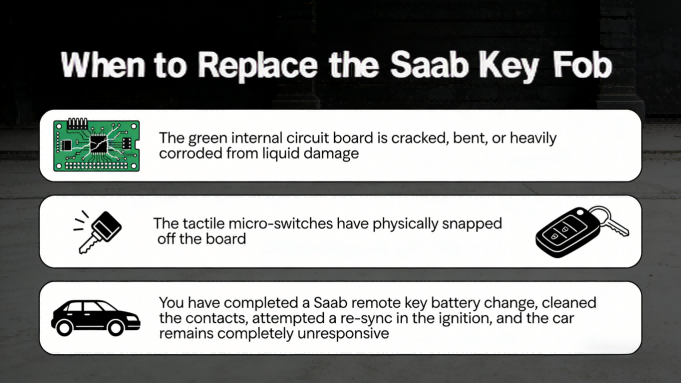
- Sometimes, a simple Saab key fob battery replacement just isn’t enough to bring a dead remote back to life. You need to look into replacing and reprogramming the entire unit if:
- The green internal circuit board is cracked, bent, or heavily corroded from liquid damage.
- The tactile micro-switches have physically snapped off the board.
- You have completed a Saab remote key battery change, cleaned the contacts, attempted a re-sync in the ignition, and the car remains completely unresponsive.ternal board means you will need to purchase a completely new key fob.
- Check the Rubber Coating: Saab keys are notorious for their outer rubber casing melting and turning into mush. If the rubber buttons are caved in, they physically block the internal switches from clicking. Buying a cheap, empty key shell and transferring your working electronics into it easily solves this.
- Investigate the TWICE Module: If you have ruled out the battery and the hardware, you might be dealing with the car’s TWICE (Theft Warning Integrated Central Electronics) module. This is a known Saab quirk where the car forgets the key entirely. Fixing this persistent issue usually requires a specialized Tech 2 diagnostic tool to pair the fob to the vehicle again.
Common Saab Key Fob Problems and Prevention
In my experience handling car remotes, Saab keys have a few unique quirks. Knowing how to maintain them and spot physical damage early will save you time and money down the road.
Fixing the Saab 9-3 Sticky Key “Mush”
If you own a 9-3, you are likely familiar with the rubber coating on the fob degrading into a sticky, melting mess over time. When this happens, you don’t need a costly dealership replacement. I always recommend simply buying a cheap, blank aftermarket shell. Just open the Saab key fob, carefully transfer your existing circuit board and your fresh Saab 9-3 key fob battery over to the new hard plastic housing, and snap it shut.
Extending Your Key Fob Battery Life
Customers often ask me: how long does a car key battery last? Under normal conditions, a quality CR2032 battery for a key fob will give you 3 to 4 years of solid use. To get the absolute most out of your battery life, follow these rules:
- Keep it climate-controlled: Avoid leaving your keys baking in a hot cup holder or freezing in the car overnight. Extreme temperature swings drain lithium cells rapidly.
- Rotate your keys: Swap between your primary fob and your spare every few months to even out the wear and tear.
When to Replace the Entire Fob
Sometimes, a simple Saab key fob battery replacement just isn’t enough to bring a dead remote back to life. You need to look into replacing and reprogramming the entire unit if:
- The green internal circuit board is cracked, bent, or heavily corroded from liquid damage.
- The tactile micro-switches have physically snapped off the board.
- You have completed a Saab remote key battery change, cleaned the contacts, attempted a re-sync in the ignition, and the car remains completely unresponsive.
Часто задаваемые вопросы
I often get asked a few common questions when it comes to a Saab key fob battery replacement. Here are the direct answers to help you wrap up the job quickly and correctly.
Does replacing the battery reprogram the key?
Usually, no. Swapping out your Saab remote key battery does not erase the fob’s core programming. If you find your Saab key fob not working after a battery change, it likely just lost its temporary connection. You can easily fix this with a quick re-sync. Just insert the key into the ignition and turn it to the ON position until you hear the steering lock click.
How long does a car key battery last?
Under normal daily driving conditions in the US, a high-quality CR2032 battery for a key fob will last roughly 3 to 4 years. If you start noticing that you have to stand closer to your car to unlock it, those are the first signs your key fob battery is dead or dying.
Can I use any CR2032 battery?
Technically, yes. Any standard CR2032 will fit a Saab 9-3 key fob battery or Saab 9-5 key fob battery slot. However, I always advise sticking to trusted name brands like Energizer, Panasonic, or Duracell. Cheap, generic batteries drain much faster and can leave you stranded unexpectedly.
What if my Saab model is different (like a 9-4X or 9-7X)?
Later SUV models like the 9-4X and 9-7X were built on General Motors platforms. Because of this, their fobs do not use the classic Saab design. For instance, the Saab 9-7X remote shares its housing style and internal setup with GM vehicles, making it very similar to a standard 1998-2002 Chevrolet key fob. For these models, you simply use a coin or flathead screwdriver to pry the two plastic halves apart to access the battery.
