
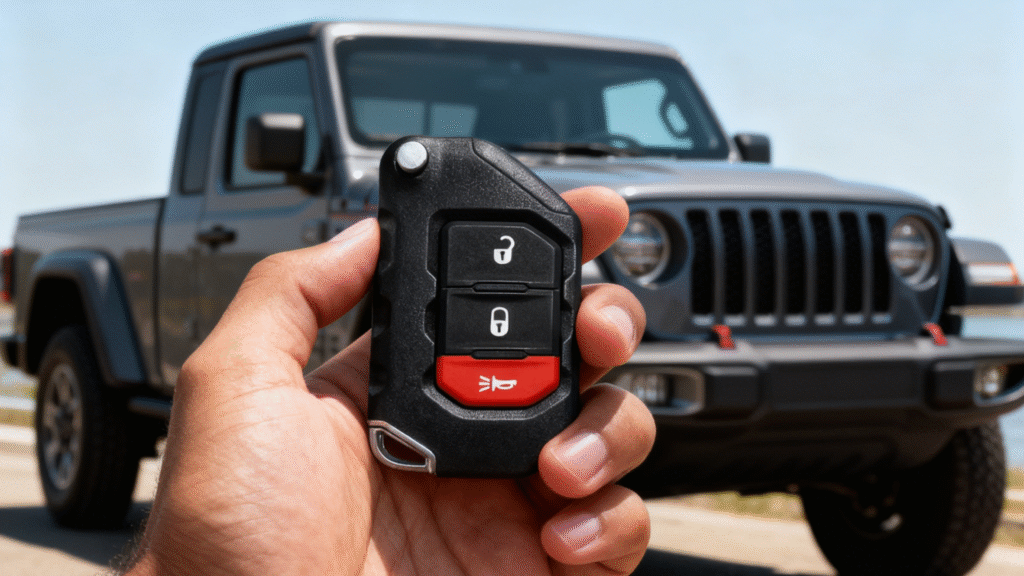
Step 1: Assess Your Vehicle’s Programming Capabilities
Before diving into programming your key fob, let’s figure out if your vehicle even supports DIY programming. Some cars let you self-program right from the driver’s seat, while others require a pro’s touch. Here’s a quick compatibility check to save you time and frustration:
- Check your owner’s manualor search online for your vehicle’s make, model, and year followed by “key fob programming instructions.”
- Look for keywords like “self-programming” or “dealer programming required.”If you find it says DIY is possible, you’re in luck!
- Newer models with advanced immobilizers or smart keysusually need specialized tools or dealership help.
Pro tip: Many key fobs will have an onboard barcode or part number—Google that along with your vehicle details. It’s like a cheat sheet for figuring out if you’re good to go.
Essential Tools and Prep: What You’ll Need Before You Start
Before you programming your key fob, make sure you have the right tools and prep done. Here’s a quick rundown of what you’ll need:
- Basic Kit:Your vehicle’s key fob, a fresh battery (usually a CR2032 or similar), your car keys, and access to your vehicle’s owner manual or specific programming instructions.
- Safety First:Always work in a safe, well-lit area. Keep your vehicle parked, engine off, and doors unlocked while programming.
- Battery Swap Tutorial:If your key fob isn’t responding, replacing the battery is a simple fix:
- Use a small flathead screwdriver or coin to pry open the fob case.
- Carefully remove the old battery and insert the new one with correct polarity.
- Snap the case back together securely.
Getting your tools and prep right upfront makes the DIY car remote sync process smoother and less frustrating. If you want to make sure your battery swap or replacement key fob matches your model, check out our specific options like the 2011-2016 Volkswagen keyless entry remote for extra confidence.
Timing Tips for Success
- Act fast but don’t rush—most steps require pressing buttons or turning keys within a few seconds of each other to stay in programming mode.
- If you miss the timing, simply start over from step one.
- Make sure all doors are closed during programming except when opening the driver’s door to exit the mode.
Testing Protocol
- After programming, test all buttons on your remote: lock, unlock, trunk, panic, etc.
- If some buttons don’t work, try repeating the process or check your key fob battery.
- Still no luck? Your vehicle might require advanced OBD-II programming tools or professional help.
For specific fobs like the one from Mitsubishi Outlander or Kia Sorento, you’ll want to grab the right remote and battery first—see detailed options like this Mitsubishi Outlander key fob or the Kia Sorento key fob for a smooth start.
Following these steps will save you a trip to the dealership and get your keyless entry back in action in no time.
Brand-Specific Guides: Tailored Instructions for Popular Makes
Programming key fobs can vary quite a bit depending on your vehicle’s brand. Below, you’ll find quick, tailored tips for some of the most common makes, plus a handy table to help you find the right steps fast.
Chevy/GM Models
For Chevy and other GM vehicles, key fob programming often involves using the ignition cycle method. Insert your key, turn it to On (but don’t start the engine) and back to Off multiple times until the locks cycle. Then press a button on the fob to sync. Some newer GM models need a special diagnostic tool, so double-check your vehicle’s year and model. You can also find replacement fobs for models like Chevy Silverado and Tahoe here.
Ford/Lincoln
Ford and Lincoln vehicles often support the door lock method. This involves cycling the ignition and using the power lock button inside the vehicle to enter programming mode. Once in, press any button on your fob within a few seconds to program it. Models with smart keys might need dealer-level tools or OBD-II devices for syncing.
Toyota/Honda
Toyota and Honda usually require you to have all key fobs on hand during programming. For many Toyota models, like the Prius or Camry, pressing the lock/unlock buttons on the fob after cycling the ignition helps sync the remote. Honda models often rely on a combination of pressing the lock on the door and ignition cycles. Check out specific remotes for Toyota hybrids and popular models here.
Other Majors: Nissan, Hyundai, Jeep
- Nissan: Mostly ignition-based programming; newer models may require OBD-II tools.
- Hyundai: Similar process to Nissan, but check for specific reset sequences in your owner’s manual.
- Jeep: Easy programming with turn-key steps or lock/unlock buttons, depending on model. For Jeep Grand Cherokee and Commander remotes, specially coded key fobs are available here.
Quick-Reference Brand Programming Table
Brand | Programming Method | Notes | Tools Needed |
Chevy/GM | Ignition cycle + button press | Some require dealer tool | Key, remote, sometimes OBD |
Ford/Lincoln | Door lock + ignition cycles | Smart keys may need OBD tool | Remote, ignition key |
Toyota/Honda | Ignition cycle + lock button | Hold all remotes during process | Remotes, key |
Nissan | Ignition cycles or OBD-II | Newer models need advanced tools | Key, possible OBD-II scan |
Hyundai | Ignition + lock button | Refer manual for model-specifics | Key, remote |
Jeep | Ignition cycles + lock button | Usually self-programmable | Key, remote |
Use this guide to speed up your key fob programming with your particular vehicle. If you get stuck, consulting your owner’s manual or professional help is always a safe bet.
Troubleshooting Common Issues: When Things Go Sideways
Sometimes programming your key fob doesn’t go as planned. Here’s a quick guide to help you troubleshoot common problems.
No Response or No Chirp from the Key Fob
- Check the battery:A dead or weak battery is the most common cause. Replace it and try again.
- Try a different fob:If you have a spare, see if that one works—helps isolate the problem.
- Interference:Make sure you’re close enough to the vehicle and away from other electronics.
Reprogramming All Fobs
If one fob needs programming, it’s a good idea to reprogram all your remotes at once to avoid syncing conflicts. Follow your vehicle’s instructions carefully to enroll each fob during the same programming session.
Advanced Errors and OBD Scan
- Some vehicles throw advanced errors visible only through an OBD-II scanner. Using a compatible OBD tool can help clear errors and diagnose problems with keyless entry or transponder programming.
- This step is usually necessary if the fob still won’t sync after multiple attempts or if a security lockout mode has triggered.
Fob Incompatibility
- Not all key fobs are compatible with every vehicle model or year. Double-check that your fob matches your vehicle’s make and year before attempting programming.
- For example, if you own a Chevy, ensure your remote matches one like those on our Chevrolet keyless entry remotes page.
Quick Fixes Table
Issue | Cause | Fix |
No button response | Dead battery | Replace battery |
Fob won’t program | Incorrect sequence/timing | Retry programming steps |
Multiple fobs conflict | Not programming all at once | Program all fobs in one session |
Security lockdown | Too many failed attempts | Use OBD-II scanner or professional |
Remote not compatible | Wrong fob model | Get correct fob for vehicle |
Keep these tips handy, and if you’re still stuck, professional tools or a locksmith might be your best bet to get back on the road quickly.
When DIY Isn’t Enough: Professional Options and Cost-Saving Hacks
Sometimes, programming your key fob yourself just isn’t an option. Whether your vehicle requires advanced programming or you’re running into stubborn issues, going pro can save time and headaches. Here’s a quick look at your options and tips to keep costs down.
Locksmith Route
- Local locksmiths often have the right gear to program most key fobs, including transponder keys.
- Visiting a locksmith shop usually costs less than mobile service.
- Mobile locksmiths charge extra for convenience but can come to your home or office.
- Pro tip:Call ahead to confirm they support your vehicle make and key type.
Dealership Dos and Don’ts
- Dealerships can program any OEM key fob but usually charge the highest fees.
- Don’t book appointments without asking for detailed pricing upfront.
- Sometimes dealerships bundle key fob programming with other services—ask if discounts apply.
- Sweet-talking your service advisor can occasionally land you a discount.
Mobile vs. Shop
Option | Cost Estimate | Pros | Cons |
Mobile Locksmith | $80 – $150+ | Convenience, no travel | Higher fees |
Locksmith Shop | $60 – $120 | Lower cost, professional gear | Need to drive there |
Dealership | $130 – $300+ | OEM keys, guaranteed support | Highest price, wait time |
Aftermarket Tools
- If you’re a frequent DIYer, investing in an OBD-II key fob programming tool can pay off.
- These devices support many brands and let you program multiple remotes yourself.
- Initial cost is high ($150+), but you save long-term, especially with multiple vehicles.
Cost Comparison Table
Service Type | Avg. Cost | Notes |
Locksmith Programming | $60 – $150 | Efficient, less than dealer |
Dealership Service | $130 – $300+ | OEM support but expensive |
Aftermarket Tool | $150+ (one-time) | Best for multiple remotes/users |
Remember, sometimes spending a little on the right service now saves you from bigger headaches later.
FAQs: Answering Your Top Key Fob Questions
Here are quick answers to some of the most common questions about key fob programming and troubleshooting:
Q: Can I program my key fob myself?
A: Many vehicles support DIY key fob programming, especially older models. Check your owner’s manual or use our guide to see if your car qualifies for easy self-programming.
Q: What if my key fob won’t sync after programming?
A: Make sure the battery is fresh and the fob is compatible with your vehicle model. Sometimes, repeating the ignition cycle or lock/unlock steps helps. If all else fails, a professional scan tool might be needed.
Q: How long does key fob programming take?
A: Most DIY methods take around 5-15 minutes once you’re familiar with the process. Battery replacement or troubleshooting might add extra time.
Q: Can I program multiple fobs at once?
A: Yes, generally you can program all your remotes during one session to sync them with the vehicle’s system.
Q: Are aftermarket key fobs reliable?
A: Many aftermarket remotes work well and cost less than dealer options. Just ensure you get one designed specifically for your vehicle, like this Hyundai Santa Fe keyless entry remote.
Q: What’s the difference between a key fob and a transponder key?
A: A key fob controls remote functions like locks and alarms, while a transponder key includes a chip that communicates with your car’s immobilizer system to allow it to start.
Q: How do I know if my key fob is compatible with my vehicle?
A: Compatibility depends on make, model, and year. Checking detailed programming instructions for your car or comparing against reliable remotes, such as this Jeep Grand Cherokee key fob, can save you time.
For a full list of questions and detailed answers, explore our comprehensive guides and brand-specific programming steps to avoid common pitfalls and save time.
If you’re still stuck, don’t hesitate to reach out to a professional or your local locksmith for expert assistance.