
Signs Your Car Key Fob Battery is Dying
It is incredibly frustrating to walk up to your vehicle, press the button, and nothing happens. Before your mando a distancia de entrada sin llave quits on you entirely, it will usually give off a few clear warning signs. Recognizing these early symptoms saves you from getting stranded in a parking lot.
Here are the most common low battery warning symptoms to watch out for:
- Reduced Remote Signal Range: You find yourself walking closer and closer to your vehicle just to get the doors to unlock.
- Delayed or Intermittent Responses: You have to click the unlock button multiple times before the car finally responds.
- Dashboard Warning Lights: Many modern vehicles will display a “Key Fob Battery Low” message right on your dashboard screen.
The Push-to-Start Fail-Safe
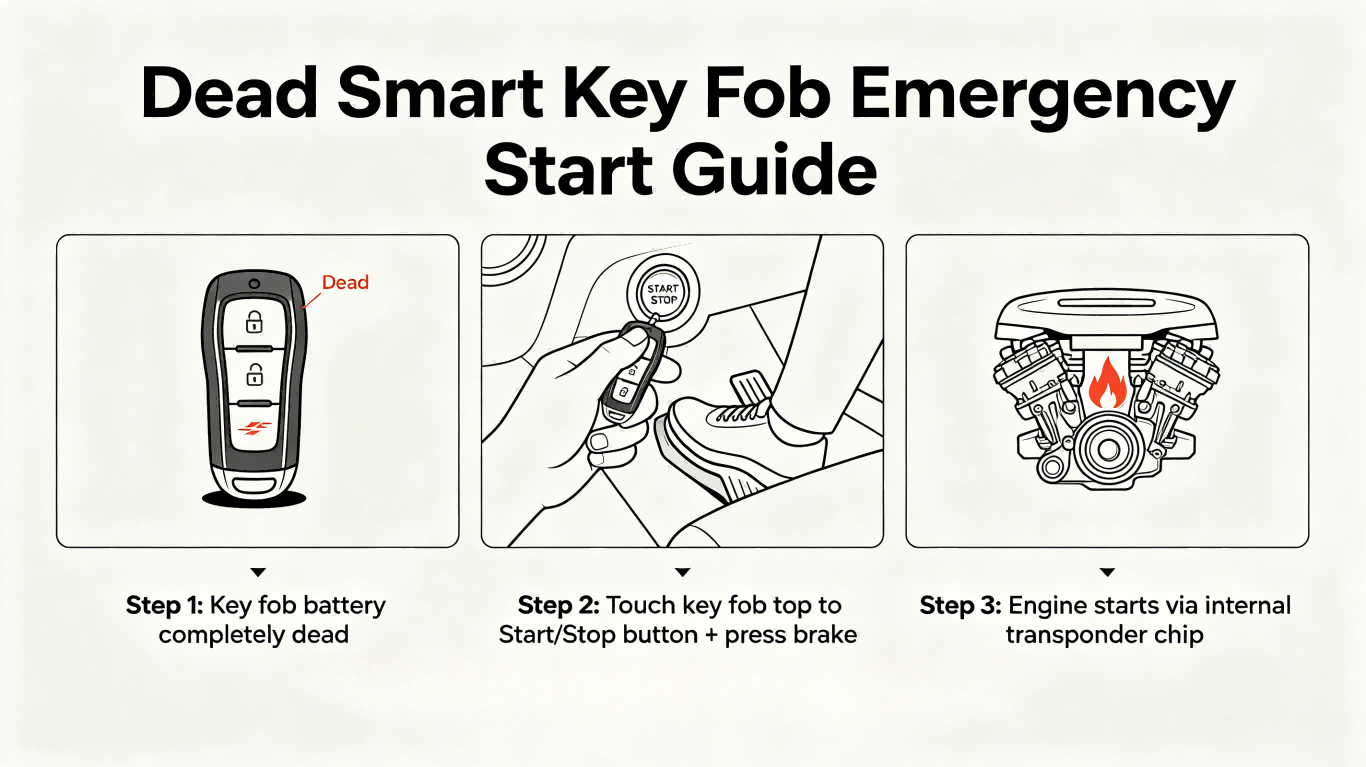
Si tu llave inteligente dies completely before you can replace the batería de celda de moneda, do not panic. Automakers build a backup fail-safe right into the vehicle.
To start a push-to-start car with a dead remote, simply touch the top of the key fob directly against the engine Start/Stop button while pressing the brake pedal. An internal passive transponder chip inside the housing will still communicate with the car’s immobilizer, allowing the engine to fire right up.
Tools Needed for the Replacement
Before you begin, gather a few basic items to make the job quick and painless. Having the right tools on hand protects the delicate plastic casing and internal components of your mando a distancia de entrada sin llave.
- A Fresh Coin Cell Battery: Most modern remotes require a high-quality CR2032 battery. However, some specific models use alternative sizes like a CR2026 vs CR2032 or even a slim CR1620. Always check your owner’s manual or look at the old battery first.
- A Small Flathead Screwdriver: A precision screwdriver or a dedicated plastic prying tool is essential for popping open the seam without scratching the plastic.
- A Clean Workspace: Work over a flat surface lined with a microfiber cloth to prevent tiny screws or internal clips from rolling away.
💡 Pro-Tip: Grab your smartphone and snap a quick reference photo of the internal layout and the la orientación de la before you remove any parts. This ensures you know exactly which way the positive side facing up belongs when installing the new cell, providing vital circuit board protection.
If your casing is already cracked or badly damaged beyond a simple battery swap, you can always browse our selection of car key remotes to find a durable, high-quality replacement shell to refresh your remote.
Step-by-Step Guide: How to Replace a CR2032 Battery in Most Key Fobs
Replacing the coin cell battery in your keyless entry remote is a quick DIY project. Follow these five simple steps to open the key fob, swap the power source, and protect the internal components.
Step 1: Remove the Mechanical Emergency Key
Most modern smart key fobs feature a hidden metal key inside the housing.
- Locate the small release button or slide switch on the back or side of the remote shell.
- Press or slide the switch while pulling outward on the key ring loop.
- Saca el mechanical emergency key completely and set it aside.
Step 2: Locate the Seam and Open the Fob Casing
Look for a small notch or seam along the edge of the plastic housing or inside the slot where the emergency key was stored.
- Insertar un flathead screwdriver or a plastic prying tool into the designated slot.
- Twist the tool gently to pop open the plastic shell clips.
- Work your way around the seam to separate the two halves, taking care to maintain proper circuit board protection so internal components stay securely in place.
Step 3: Note the Battery Orientation and Remove the Old Cell
Before touching anything, look closely at how the power source is sitting in its slot.
- Critical Step: Take note of the la orientación de la before removing it. In most standard remotes, the positive side facing up ($+$) is the default position.
- Use a non-metallic tool or a precision screwdriver to carefully lift the old coin cell battery out.
- Avoid bending or disturbing the surrounding metal contact clips during removal.
Step 4: Install the New CR2032 Battery
- Slide the fresh CR2032 battery into the slot, matching the exact original orientation (usually positive side up).
- Pro-Tip: Hold the new battery by its edges. Avoid touching the top and bottom faces with bare fingers, as skin oils can degrade the connection over time.
- Ensure the battery clicks firmly under the retaining tabs.
Step 5: Snap the Fob Back Together and Test
- Align both halves of the plastic housing, making sure the rubber buttons and circuit board are properly seated.
- Press the edges firmly together until you hear the clips snap into place.
- Re-insert the mechanical emergency key.
- Step outside and test the remote near your vehicle to ensure the lock, unlock, and panic functions are completely restored.
Brand-Specific Variations for CR2032 Key Fobs
While the general replacement process is similar, different automakers design their keyless entry remote housings uniquely. Knowing these brand-specific tricks prevents accidental damage to the internal circuit board.
Ford & GM (Chevy, GMC)
Automakers like Ford and General Motors usually design their remotes with a distinct side-slot or a dedicated notch inside the emergency key cavity. This makes it incredibly straightforward to insert a flathead screwdriver or prying tool to pop the two halves apart. If you drive a Chevrolet and notice your housing is physically cracked or worn down during this process, you can easily swap the internals into a durable Chevy key fob replacement shell to make it look and feel brand new.
Toyota, Lexus & Nissan
These manufacturers use a clever, tool-free design. Once you slide out the mechanical emergency key, look closely at the tip of the key blade or the slot it came from. The tip of the mechanical key itself is designed to fit perfectly into a small internal lever slot. Simply insert the key tip and twist it to split the smart key fob housing apart without scratching the plastic.
Honda, Acura & Hyundai
Honda and Hyundai remotes require a bit more patience. Instead of the coin cell battery just sitting loose in a slot, these brands often utilize internal metal holding clips directly over the battery to keep it secure during drops.
- The Trick: Do not yank the battery straight out.
- The Solution: Use a precision tool to gently pry the metal clip outward while sliding the old CR2032 battery out horizontally to avoid snapping the contacts off the circuit board.
Troubleshooting: What if the Fob Still Doesn’t Work?
If you just completed a CR2032 battery replacement and your keyless entry remote is still dead, don’t panic. Before running out to buy another battery, walk through these quick troubleshooting steps to pinpoint the issue.
- Check the Battery Orientation: It is incredibly easy to flip a coin cell battery during installation. Pop the shell back open and make sure the positive side facing up matches the diagram inside the casing. If it’s upside down, the circuit board won’t get any power.
- Examine the Metal Contacts: Small metal prongs inside the fob connect the battery to the circuit board. If these contacts are bent flat, they won’t touch the battery. Gently pry them back up with a small tool so they make firm contact. If they look dull or dirty, wipe them down with a cotton swab dipped in rubbing alcohol to clear off oils or corrosion.
- Address Key Fob Programming Loss: Sometimes, if a key fob is left without power for too long during a change, it loses its memory. If the buttons don’t trigger a response but the battery is fresh, your vehicle might require quick key fob programming to resync the remote to the car’s computer.
Dealing with Internal Hardware Failure
If you have verified the battery orientation, cleaned the contacts, and tried resetting the system, you might be dealing with physical damage. Water exposure, cracked circuit boards, or worn-out rubber buttons will permanently break a remote.
When the internal tech or the plastic housing is too far gone, swapping the battery won’t save it. That is when you need to swap out the hardware entirely. As a professional fabricante de llaves de coche, we offer high-quality, durable replacement key fob shells and complete remotes at KeylessBest to get you back on the road without the expensive dealership prices.
