
You press your car key fob, expecting the familiar click… and nothing happens.
No lights. No sound. No unlock.
Most drivers don’t think about their car key battery until it fails at the worst possible moment—late at night, in bad weather, or with kids in the back seat. The thing is, you can usually avoid this completely if you know how often car key batteries should be replaced and how to check if your car key battery is running low before it dies.
In this guide, you’ll quickly learn:
- The real-world lifespan of a car key fob battery (by brand and usage).
- The early warning signs your key fob battery is dying (long before it stops working).
- Simple, at-home methods for testing a key fob battery so you’re never caught off guard.
No scare tactics, no fluff—just clear, expert-backed steps to keep your keyless entry remote working reliably and your car starting every time.
How Often Should Car Key Batteries Be Replaced?
Most car key fob batteries last about 2–5 years. That’s the normal car key battery lifespan for common coin cells like CR2032, CR2025, and CR2450 in modern smart keys and keyless entry remotes. But how often you actually need to replace yours depends on more than just time.
Typical Key Fob Battery Lifespan (2–5 Years)
As a simple rule of thumb:
- Daily driver, smart key / keyless entry: plan on every 2–3 years
- Traditional remote with buttons only: usually 3–5 years
- Very light use or weekend car: sometimes up to 5+ years, but don’t stretch it too far
If you wait until it dies completely, you risk “Key Not Detected”, push button start not working, or being locked out when the key fob battery dies at the worst time.
Make, Model, and Battery Type Matter
Different brands and key designs draw power differently, so car key battery replacement frequency changes by:
- Make & model:
- Some systems (like luxury brands with always-on proximity sensing) drain faster.
- Others with simple lock/unlock use less power and last longer.
- Battery type:
- CR2032 and CR2450 (larger cells) generally last longer than CR2025 or CR1632 in the same usage.
- Key technology:
- Smart keys and keyless entry remotes that constantly talk to the car usually need more frequent replacement than basic remotes.
If your car uses a small, thin coin cell in a high-tech smart key, assume you’re closer to 2–3 years than 5.
How Your Habits Change Battery Life
Your daily habits have a big impact on car key fob battery life:
- High use = shorter life
- Locking/unlocking constantly
- “Fidget clicking” buttons out of habit
- Remote starting the car frequently
- Always carrying the key near the car
- Leaving the key hanging by the garage door
- Key stored on a hook right next to the vehicle
This keeps the key and car “talking,” draining the battery faster.
- Long-range use
- Regularly using the fob from far away (office window, house, parking lot) makes the fob work harder.

If that sounds like you, plan for earlier replacement—closer to every 1.5–2 years.
Climate and Storage Conditions
Climate and where you store your keys can speed up battery drain:
- High heat (parked outside in summer, hot dashboards):
- Shortens coin cell life and increases the risk of leakage.
- Extreme cold:
- Makes weak batteries act “dead” sooner, especially in winter.
- Humidity and moisture:
- Does not just affect the casing—over time it can corrode contacts and strain the battery.
For hot or very cold states, it’s smart to replace key fob batteries on the early side of the 2–5 year range.
Are You Replacing Too Early or Too Late?
You’re replacing too early if:
- The fob still works from normal distance with no delay
- No low key fob battery warning appears on your dash (for cars that support it)
- You’ve gone less than 1–1.5 years with light use
You’re replacing too late if you notice:
- Key fob range reduced (you must stand closer to the car)
- You need to press buttons multiple times
- Occasional “No Key Detected” or “Key Not Detected” messages
- Car unlocks, but push-button start won’t work on the first try
Those are classic key fob battery dying symptoms—don’t wait until it fails completely.
When to Replace Your Spare Key Battery
Spare keys are easy to forget, but their coin cell batteries still age, even in a drawer:
- Replace the spare key fob battery about every 3–4 years, even if you never use it.
- If your main key starts acting weak and the spare feels just as weak, both probably need fresh batteries.
- A good habit:
- Every other time you change the main key battery, change the spare too.
- Or, set a calendar reminder to test and rotate spare keys once a year.
A dead spare key is useless in an emergency—treat it like a backup you actually depend on.
If you want to avoid getting stuck with a dead keyless entry remote, build a simple rule for yourself: replace your key fob battery every 2–3 years, sooner if you notice any weak-signal symptoms, and don’t forget to refresh the spare key battery on a schedule.
Car key battery lifespan by Make and key type
How long a key fob battery lasts really comes down to the Make, key type, and how you use it. In general, most OEM key fobs in the U.S. last 2–5 years on a quality CR coin cell, but some brands lean longer or shorter.
Toyota & Lexus key fob battery life
Most Toyota and Lexus keyless entry and smart keys (often using CR2032 or CR1632 cells) average:
- Normal use: ~3–4 years
- Heavy use / city driving: closer to 2–3 years
- Genuine vs cheap batteries: name-brand cells easily last a year longer
For example, a Toyota RAV4 smart key or a Lexus NX/LX smart key like our own OEM-style Toyota RAV4 keyless entry remote is typically in that 3–4 year range with a good CR2032.
Honda & Acura smart key battery lifespan
Honda and Acura smart keys are also very efficient:
- Typical range: 2.5–4 years
- Smart keys that stay close to the car (in garages or tight parking) wake up more often and may drop to 2–3 years
- Older flip keys and basic remotes often last a bit longer because they only transmit when you press a button
A standard Honda CR‑V keyless remote like our Honda CR‑V 4‑button keyless entry remote can easily go 3+ years on a fresh cell if you’re not constantly clicking it.
Ford & Lincoln keyless entry remote battery life
Ford and Lincoln keyless entry remotes and smart keys generally land around:
- 2–4 years for smart keys with proximity/push-button start
- 3–5 years for older, non‑proximity fobs that only work when you press the buttons
Lots of Ford/Lincoln fobs use CR2032 or CR2450 batteries, which have good capacity but are also powering more features like remote start and panic, so expect the lower end of that range if you use remote start a lot.
BMW, Mercedes & Audi key fob battery life
German luxury brands pack in more electronics and security, so battery life is usually:
- BMW: around 2–3 years on modern comfort access keys
- Mercedes-Benz: 2–4 years, depending on whether it’s an older “chrome” key or latest smart key design
- Audi: typically 2–3 years on advanced key fobs
Features like comfort access, passive entry, and frequent “key detected” checks add drain. If you park close to your house or keep the key right by the door, expect the battery to skew toward the shorter side.
If you primarily use the phone-as-key feature and only keep the fob as backup, the battery will last much longer because it’s not waking up as often.
Hyundai, Kia & Genesis smart key battery expectations
Hyundai, Kia, and Genesis smart keys (like many late-model SUVs and sedans) usually use CR2032 cells and sit in this range:
- Typical: 2.5–4 years
- In hot U.S. climates (Arizona, Texas, Florida), real‑world life can drop closer to 2–3 years
- If the fob lives in a drawer away from the car, it usually pushes toward the higher end of that range
We build and program a lot of Hyundai/Kia/Genesis smart keys, and with quality coin cells, 3 years of normal U.S. daily driving is very common.
How to check your owner’s manual for official battery guidance
Every brand has its own official recommendation, so it’s worth doing a quick manual check:
- Glove box manual:
- Look under sections like “Keys and Remote Controls”, “Smart Key System”, or “Keyless Entry”
- Many manuals list the **exact battery
Early warning signs a car key battery is running low
When a key fob battery starts to die, it rarely quits all at once. It usually gives you a few clear warning signs first. If you catch these early, you can swap the battery before you get stuck with a “Key Not Detected” message in a parking lot.
Key fob range suddenly feels shorter
One of the first low key fob battery symptoms is reduced range:
- You used to lock/unlock from across the driveway, now you have to stand closer.
- You have to point the fob directly at the car for it to work.
- The car only responds when you’re right by the door handle.
If your remote for a Chevy SUV or an older truck-style fob (like a 3‑button keyless entry remote for Trailblazer/Envoy–style vehicles) starts losing range, it’s almost always the battery, not the car.
You’re pressing buttons multiple times
Another big sign of a smart key battery low:
- You press unlock once… nothing.
- Press again… maybe it works.
- Sometimes you have to spam the lock button just to hear a chirp.
If you’re clicking more than once for basic lock/unlock, the coin cell is getting weak.
Delayed response from the car
With a healthy keyless entry remote, the car responds almost instantly:
- Low battery = lag or delay between button press and action.
- You may notice a 1–3 second pause before the lights flash or doors unlock.
That “slow” reaction is your warning to replace the car key battery soon.
“Key Not Detected” keeps popping up
On push-button start cars, a low fob battery often shows up as:
- Intermittent “Key Not Detected” or “No Key Detected” messages
- Car starts sometimes, other times you have to move the fob around the cabin
- You may need to hold the fob against a specific spot on the steering column to start
If the car sees the key some of the time but not always, that’s classic low key fob battery behavior.
Key fob LED is dim or dead
Most remotes have a tiny LED that flashes when you press a button:
- Bright and sharp = good battery
- Very faint, flickering, or no light at all = battery is almost done
If the LED used to be easy to see and now you can barely spot it, plan a key fob battery change soon.
You’re using the emergency key blade more
If you’re pulling out the physical emergency key blade because:
- The remote won’t unlock doors consistently
- The smart key entry on the handle doesn’t always respond
…that’s usually not the lock’s fault. It’s the coin cell inside the fob dropping in voltage.
Car unlocks, but won’t start (push-button cars)
On push-button start cars:
- The car might unlock fine, but refuse to start.
- You get “Key Not Detected” only when trying to start, not when unlocking.
That’s a huge clue the fob battery is weak, not a problem with your starter or engine.
Weird key fob behavior after a car battery change
If you just replaced your car’s main battery and then notice:
- Random “Key Not Detected” messages
- Shorter range
- Buttons working off and on
Don’t panic about programming yet. Often, a weak fob battery just gets exposed when power in the whole system resets. If you’re using a newer 5‑button smart key like a Hyundai Palisade keyless entry remote, or a modern GM-style Chevrolet Cruze keyless entry fob, this combo of symptoms almost always points to the coin cell, not the electronics.
Bottom line:
If your key fob range is reduced, you’re clicking multiple times, seeing delayed response, or getting random “No Key Detected” messages, assume the key fob battery is running low and replace it before it leaves you stranded.
How to Check if a Car Key Battery Is Running Low
Quick at‑home checks before the battery dies
You don’t need any special tools to catch a weak key fob battery early. At home, do these quick checks:
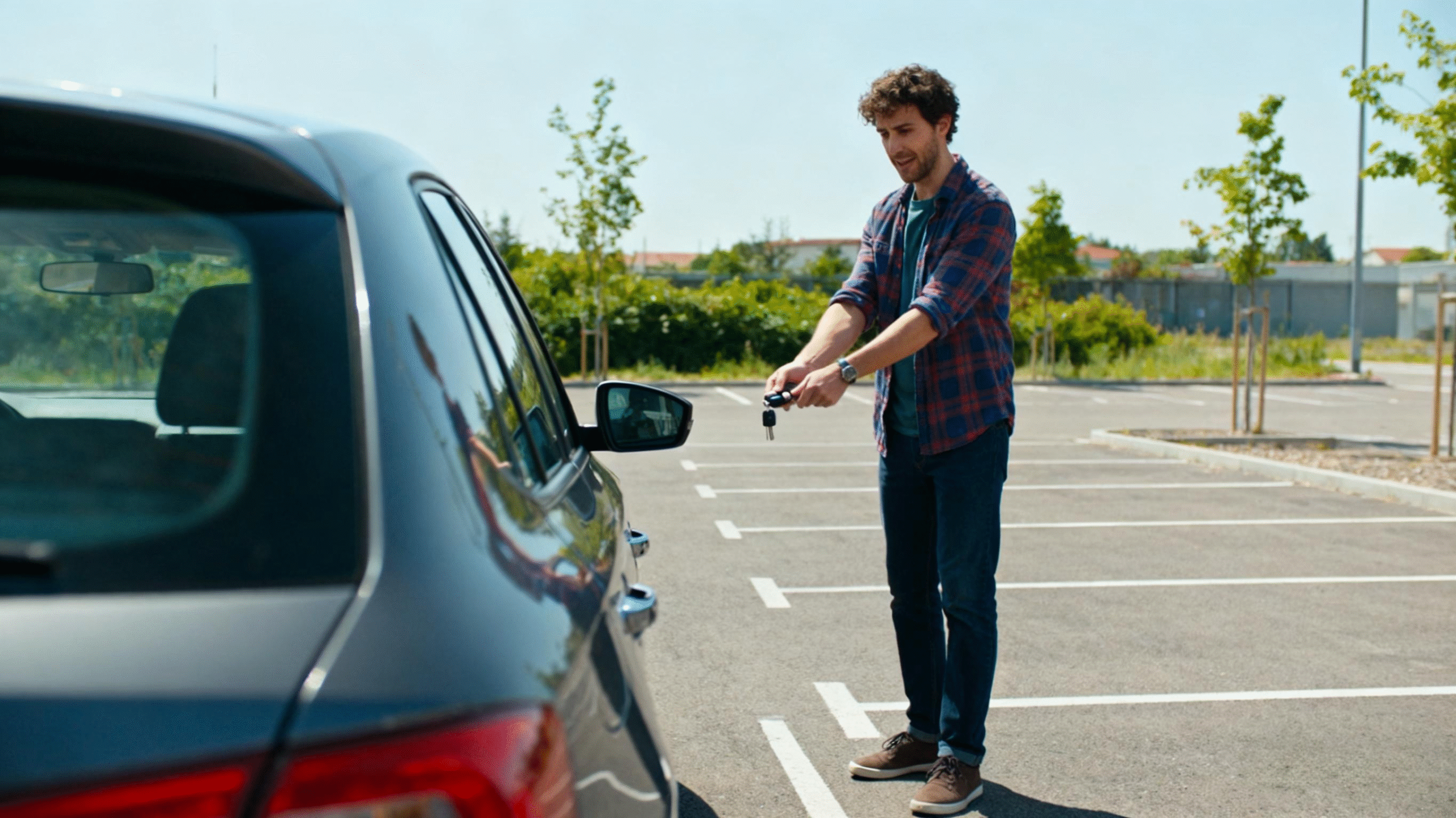
- Range test: Stand 20–30 feet from the car and try lock/unlock.
- If you now have to stand much closer than you used to, your key fob range is reduced—classic low battery symptom.
- Button response: Press lock/unlock once.
- If the car doesn’t respond, or you need to press buttons multiple times, the key fob battery is likely weak.
- Response delay: When you press the button, the car should react almost instantly.
- A noticeable delay in locking or unlocking is another sign the battery is running down.
- “Key Not Detected” messages: On push‑button start cars, random “No Key Detected” warnings when the key is in your pocket usually mean low battery, not a bad key.
- Check the LED: If your fob has a small LED:
- Bright and sharp = usually good
- Dim, flickering, or no light = battery is close to dying
If you’re using the emergency key blade more often because the remote is unreliable, that’s your cue to swap the coin cell now.
Compare your main key vs spare key
Your spare key is a great way to confirm if the problem is the battery or the car:
- Use your main key for a few days and note:
- Range
- How many button presses it takes
- Any “key not detected” warnings
- Switch to your spare key:
- If the spare works from farther away, responds faster, and doesn’t show warnings, your main key fob battery is weak.
- If both keys act the same (short range, delayed, or no response), the issue might be the car’s receiver, door lock actuators, or 12V battery—not the fob battery.
For example, if your Acura or older Jaguar keyless remote suddenly drops in range while a spare remote still works perfectly, that’s almost always the coin cell inside the weaker fob. If you ever need a complete replacement remote instead of just a battery, we also offer fully assembled keyless entry remotes like our 3‑button Acura MDX keyless entry remote.
Simple checklist: key fob battery vs car problem
Use this quick checklist before you blame the car:
Probably the key fob battery if:
- Range used to be good and has gradually dropped
- You need to press buttons multiple times
- The key works better when you’re very close to the car
- The fob’s LED is dim or dead
- The spare key works fine, but the main one doesn’t
- You recently got a “smart key battery low” or “replace key fob battery” warning
Probably the car if:
- Both keys have the same poor range or random failures
- The car’s 12V battery is weak or was just replaced and issues started right after
- Doors won’t unlock even with the physical key sticking or feeling jammed
- The locks make no sound at all when any remote is pressed
If most of your signs match the “key fob battery” side of this checklist, it’s time to replace the coin cell (CR2032, CR2025, CR2450, etc.) before you get stranded.
How to Test Car Key Battery Health at Home
You don’t need a shop to figure out if your key fob battery is weak. With a quick range test, a cheap digital multimeter, and even your phone’s camera, you can get a pretty solid answer at home.
Simple door handle & distance range test
Use this before you start taking anything apart:
- Step 1 – Test close range:
Stand right next to the driver door. Lock/unlock with the remote. It should respond instantly. - Step 2 – Step back in stages:
Walk back 5–10 feet at a time (15–30 ft, 40–50 ft, etc.) and keep hitting lock/unlock.- A healthy fob usually works from at least 30–50 feet in an open driveway.
- If you have to be almost next to the car, your key fob battery is likely weak.
- Step 3 – Check different angles:
Try from the front, rear, and side. Inconsistent behavior (works in one spot, not another) often points to a low battery. - Step 4 – Compare with your spare:
If your main key has shorter range than your spare, the main fob battery is the problem.
If you’re testing a Hyundai or similar smart key, this same range test applies whether you’re using a compact Accent remote or a newer Hyundai Palisade keyless entry fob.
Using a digital multimeter to test key fob battery voltage
If you’ve got a multimeter, you can see exactly how “tired” your coin cell is:
- Remove the battery from the key fob carefully (note the + side).
- Set the multimeter to DC volts (V) in the 20V or 2V range.
- Touch red probe to the + side, black probe to the flat bottom side.
- Read the voltage on the screen and compare to the ranges below.
Good vs weak voltage for CR2032, CR2025, CR2450 cells
Most car keys use one of these 3V coin cells. Here’s a quick cheat sheet:
| Battery Type | New / Strong | Usable but Weak | Replace Now / Bad |
|---|---|---|---|
| CR2032 | 3.2–3.0 V | 2.9–2.8 V | 2.7 V or lower |
| CR2025 | 3.2–3.0 V | 2.9–2.8 V | 2.7 V or lower |
| CR2450 | 3.2–3.0 V | 2.9–2.8 V | 2.7 V or lower |
If your reading is in the “usable but weak” zone and your range is already poor, just replace it. Coin cells are cheap; getting stranded is not.
Using a smartphone camera to test infrared / hidden LED signals
Some older or secondary remotes use infrared (IR), which you can’t see with the naked eye but your phone camera usually can.
- Point the front of the key fob (where the little “bulb” or window is) at your phone’s camera.
- Open the camera app and look at the screen.
- Press lock/unlock repeatedly:
- If the fob is working, you’ll see a flashing white/purple light on the camera.
- If there’s no flash at all, the battery might be dead or the fob is faulty.
Note: Some phone cameras (especially newer iPhones) filter IR on the rear camera, so try the front selfie camera if you see nothing at first.
When the key fob tests “fine” but still acts weak
Sometimes the battery looks good on a multimeter, but the fob is still unreliable. Common reasons:
- Battery is strong under no load but sags under load
Coin cells can show 3.0 V with no load and still dip too low when you press a button. If your voltage is under 2.9 V and the fob is flaky, just replace it. - Dirty or bent battery contacts
The metal tabs inside the fob may not be gripping the battery tightly. Gently bend them for a more solid contact and clean light corrosion with a dry cotton swab. - Cracked shell or worn buttons
A tired shell or mushy button pads can make it feel like the battery is bad. A new shell or replacement remote may be the real fix. - Internal damage from drops or moisture
If the fob was washed, dropped hard, or baked in a hot car, the circuit board can be failing even with a fresh battery.
If your range test, voltage test, and camera test all look good but the fob is still unreliable, you’re likely dealing with a failing remote, not just a weak CR2032. In that case, replacement or re-shelling the fob is usually the best move.
How to replace a car key fob battery yourself
Swapping a key fob battery is something most drivers in the U.S. can handle at home in a few minutes. Done right, you save time, avoid dealer prices, and keep your fob working like new.
Tools you need to change a key fob battery safely
Keep it simple and safe:
- Small flathead screwdriver or plastic pry tool (preferred to avoid scratches)
- Clean cloth or towel (so parts don’t roll away)
- New coin cell battery (correct size and type – usually CR2032, CR2025, CR1632, or CR2450)
- Optional: Gloves to avoid getting skin oils on the battery
Most common key fob battery sizes
Most modern car key fobs in the U.S. use:
- CR2032 – the most common smart key and keyless entry remote battery
- CR2025 – slightly thinner, used in many compact fobs
- CR1632 – common in some Japanese brands and thinner remotes
- CR2450 – used in higher‑drain or larger luxury key fobs
Always match the exact code printed on your old coin cell. If you’re buying a new remote, like our Mazda keyless entry fobs that use standard coin cells, you’ll usually see the battery type listed right in the product details.
How to open different key fob designs without breaking them
Most keyless entry remotes and smart keys open in one of these ways:
- Hidden notch or slot
- Look along the side or seam of the fob for a small slot.
- Insert a plastic pry tool or the flathead screwdriver gently and twist.
- Emergency key blade release
- Slide the small latch to pull out the emergency key blade.
- Once the blade is out, there’s usually a visible groove where you can pry the case apart.
- Two‑piece snap case
- Hold both halves firmly and twist with a pry tool at the seam.
- Work slowly around the edge so you don’t crack the plastic.
Never force it. If the case won’t open, double‑check your owner’s manual or compare the design to a similar OEM-style remote, like this Subaru keyless entry remote we build to factory spec, which opens cleanly at a visible seam.
How to swap the old battery for a new one the right way
Once the fob is open:
- Note battery orientation
- Pay attention to which side is + (positive) and which side is – (negative).
- Take a quick photo before removing it if you’re not sure.
- Gently remove the old battery
- Use a plastic tool or your fingernail; avoid bending metal contacts.
- Install the new coin cell
- Match the same orientation as the old one (usually + side facing up).
- Press it down until it’s fully seated and doesn’t move.
Avoid touching the flat surfaces of the coin cell with bare fingers if you can. Oils and dirt can shorten battery life.
How to close and reseal the fob so it stays protected
After the new battery is in:
- Check the rubber seal or gasket (if your fob has one)
- Make sure it’s seated properly so the fob keeps its splash resistance.
- Align both halves of the shell
- Line up buttons and edges carefully; don’t trap the circuit board crooked.
- Snap the case together firmly
- Press around the edges until every clip clicks into place.
- Reinsert the emergency key blade (if removed)
Give the buttons a quick press to feel for proper travel. If any button feels “stuck,” reopen the case and realign the rubber pad and board.
When your car needs re-syncing or reprogramming after battery change
Most U.S. vehicles don’t need full reprogramming after a simple battery swap, but a few behaviors are normal:
- Short “Key Not Detected” messages the first start after changing the battery can be normal.
- Some models require you to hold the key fob close to the start button the first time you start after a battery change.
- A few brands may need a basic re‑sync, like:
- Lock/unlock the doors several times
- Insert the key (if applicable) and turn it to ON
- Or follow a short sequence in your owner’s manual
If your key fob still doesn’t work at all after installing a fresh, correct battery and trying a basic re-sync, you’re likely dealing with a damaged circuit board or worn buttons, not just a battery issue—and that’s where a quality replacement fob or professional programming service becomes the smarter move.
Best replacement batteries for car key fobs
Trusted
When a weak or dead key fob battery isn’t the only problem
Sometimes the “low key fob battery” warning is just the surface issue. If you’ve already replaced the coin cell battery (CR2032, CR2025, CR2450, etc.) and the fob is still acting up, you might be dealing with a damaged key fob, not just a dying battery.
Signs your key fob circuit board or buttons are damaged
If you see any of these, the problem is usually internal electronics, not the battery:
- Only some buttons work (lock works, unlock or trunk doesn’t)
- Buttons feel mushy, sunken, or stuck and don’t “click” like they used to
- Fob works only when you squeeze or twist it (pressure temporarily reconnects loose parts)
- LED light never flashes, even with a fresh battery
- Case is cracked or separating, exposing the circuit board
- Fob works extremely randomly, even from close range
These are classic signs that the circuit board, solder joints, or rubber button pad is worn or damaged.
When water, drops, or heat ruin the fob beyond a simple battery swap
Key fobs don’t like abuse. Common killers:
- Water damage
- Went through the washing machine
- Dropped in a puddle, pool, or snow and wasn’t dried quickly
- Corrosion or white/green residue inside the case
- Hard drops or impact
- Keys flew off the counter, or you slammed them in a door
- Fob stopped working right after a fall
- Extreme heat or cold
- Left on a hot dashboard or in a freezing vehicle for days
- Plastic case warped, buttons bubbled, or fob gets very hot in use
Once the circuit board is corroded, cracked, or warped, a new battery won’t fix it. At that point, you’re looking at repair, a new shell, or a full replacement key.
Modern encrypted keys that need dealer or specialist support
Newer smart keys and keyless entry fobs use encrypted chips and rolling codes for security. That’s great for theft prevention, but it means:
- You can’t just buy any cheap fob and expect it to work
- Many push-button start keys require dealer-level tools or a professional locksmith to program
- Some brands lock programming behind factory software, especially luxury models and newer years
If you replace the fob and it still shows “No Key Detected” or won’t start the car, you may need:
- Dealer programming
- A professional automotive locksmith with key programming tools
- In rare cases, ECU or immobilizer pairing
Average costs: locksmith vs dealership key fob replacement
Here’s what most U.S. drivers can expect:
- Automotive locksmith
- Basic remote or standard key with chip: $80–$180
- Smart key / proximity fob: $150–$300
- Usually cheaper than the dealer, and often mobile (they come to you)
- Dealership
- Basic remote/key: $120–$250
- Smart key / proximity fob: $250–$500+ (luxury brands can be higher)
- Programming fees are often separate, $75–$150+
The exact price depends on your car’s year, make, model, and whether you still have a working key to copy/program from.
Repair, re-shell, or replace: what makes sense?
Here’s how I decide the best move for a bad key fob:
- Repair the fob when:
- Buttons are worn, but the electronics are still good
- One or two solder joints are loose and can be fixed by a pro
- You want to keep the original OEM internals
- Re-shell (new case, old guts) when:
- Case is cracked, key blade is loose, or buttons are torn
- Fob works fine, but looks rough or is hard to press
- You want it to feel “like new” without full replacement
- Replace the entire key fob when:
- Water damage or heavy corrosion is visible
- Fob doesn’t respond at all even with a new battery
- Circuit board is cracked or missing pieces
- You lost the key completely and need a new one programmed
If you’re already buying a new Honda-style remote or smart key, it’s often smarter to start with a quality replacement fob and have it programmed, rather than sinking money into a heavily damaged original. For example, if you drive a Honda, getting a proper compatible remote like our OEM-style Honda keyless entry remotes and pairing it with professional programming usually gives you the most reliable long-term fix.
How to Make Your Car Key Battery Last Longer
You don’t need to replace key fob batteries every year. With a few smart habits, most car key batteries can easily hit the 3–5 year mark.
Smart Habits to Reduce Key Fob Battery Drain
Use these daily habits to slow down battery drain:
- Don’t store the key right next to the car (especially with keyless entry). The car and fob keep “talking,” which drains the battery faster.
- Avoid pocket pressure that constantly presses buttons. If your lock/unlock buttons are always getting bumped, your battery will die early.
- Use one primary fob for daily driving and keep your spare stored safely.
Store Spare Keys Away From the Car
For smart keys and keyless entry remotes:
- Keep spare fobs at least a room or two away from where the car is parked.
- Don’t store a spare key on a hook right by the garage or driveway.
- Use a small Faraday pouch or metal tin if you want to completely block the signal and protect both battery life and security.
If you ever need a replacement fob (like a Mini Cooper smart key), I always recommend starting with a quality shell or remote such as this OEM-style Mini Cooper 4-button keyless entry remote, then pairing it with a fresh name-brand coin cell.
Stop “Fidget Clicking” Your Key Fob
Constant button pressing is one of the fastest ways to kill a CR2032 or CR2025 battery:
- Don’t sit and click lock/unlock just for the sound.
- Press the button once, firmly, and wait a second for the car to respond.
- If you’re looking for your car, use the panic button sparingly—it drains battery faster than a normal lock/unlock.
Protect Your Key Fob From Heat, Cold, and Moisture
Extreme conditions shorten car key battery life and can damage the circuit board:
- Don’t leave your key fob on the dash, in direct sun, or on a hot seat in summer.
- Avoid freezing temps when possible—don’t store keys in an unheated shed or outside lockbox.
- Keep it dry: don’t toss fobs into wet cup holders, beach bags, or snow-covered pockets.
- If your fob gets soaked, remove the battery immediately, dry it gently, and let the fob sit open in a dry place before using it again.
Carry a Spare Coin Cell Battery the Right Way
It’s smart to keep a backup CR2032, CR2025, or CR2450 handy—but do it safely:
- Store the battery in its original blister pack or a small plastic case.
- Never let loose coin cells roll around with coins, keys, or metal—they can short out and drain or overheat.
- Keep spare batteries away from kids and pets; coin cells are a serious swallowing hazard.
How Often to Check and Rotate Spare Keys
Spare keys die quietly if you never touch them. Avoid that:
- Check your spare fob every 6–12 months by unlocking the car and testing range.
- Rotate use: every few months, drive with your spare key for a week, then swap back.
- If a spare fob is older than 3–4 years on the same battery, change the coin cell proactively, even if it still works.
These small habits will keep your key fob battery healthy, cut down on surprise “Key Not Detected” messages, and save you from emergency locksmith trips.
Quick car key battery checklist and next steps
If you don’t want to get stranded by a dead key fob, use this quick checklist and routine. It takes a couple of minutes and saves a lot of headache.
Simple checklist for spotting a low car key battery early
Run through this list any time your key fob feels “off”:
- Has the range dropped?
You have to stand closer to the car than you used to for lock/unlock to work. - Do you need to press buttons twice (or harder)?
Lock/unlock only works every other press, or after a delay. - Any “Key Not Detected” messages?
Push‑button start cars randomly flash “No Key Detected” even when the key is in your pocket. - LED dim or dead?
The small LED on the fob is faint or doesn’t light up when you press a button. - Spare key behaves better?
Your spare key fob works from farther away or feels more responsive than your daily key.
If you’re seeing two or more of these signs, plan to replace the key fob battery now, not later.
When to DIY vs. call a pro
Most U.S. drivers can handle a simple key fob battery change at home:
- DIY is usually fine when:
- The fob is a standard remote or smart key with a visible seam.
- You know the battery type (CR2032, CR2025, CR2450, etc.).
- The car still reacts sometimes; it’s clearly a weak battery, not a totally dead or damaged fob.
- Call a pro (locksmith or dealer) when:
- The fob case is glued or looks easy to crack if you pry it wrong.
- The key fob still acts weird after a fresh battery (no range, random failure).
- You see corrosion, water damage, or broken buttons.
- The car says the key needs to be reprogrammed after battery replacement.
If you ever need a complete replacement remote instead of just a battery, you can look at options like our Jeep Renegade 3‑button keyless entry remote or a Chevrolet/GMC Silverado and Sierra keyless remote as examples of ready‑to‑program OEM‑style fobs we build for the U.S. market.
How to stay prepared so you’re never locked out
Use these habits so a dead key fob battery is just an annoyance, not an emergency:
- Keep a working spare key fob at home
- Make sure it’s tested and has a fresh battery at least every 2–3 years.
- Carry a spare coin cell battery
- Toss a sealed CR2032 or your specific battery type in your glovebox or wallet (in original packaging so it doesn’t short).
- Know where your emergency key blade is
- Most smart keys hide a metal key inside—practice removing it and unlocking your door once.
- Save a local locksmith number in your phone
- If your fob fails completely, you’re not stuck hunting for help.
Routine schedule for key fob battery checks
Here’s a simple schedule that works well for most drivers in the U.S.:
- Check once every 6 months
- Test the range from your usual parking spot.
- Make sure buttons respond on the first press.
- Replace every 2–3 years (even if it seems “fine”)
- Daily‑use key: every 2 years is safe.
- Spare key: every 3 years or any time you change the main key battery.
- Replace before big trips
- If your key fob is over 2 years old and you’re about to road trip or travel, swap the battery first.
If you follow this checklist and routine—quick checks twice a year, scheduled battery changes, and a backup plan—you’ll almost never be surprised by a dead car key battery.
