
If you’re trying to order a replacement remote and keep seeing “enter your key fob part number” or “match your FCC ID” and have no idea where to find it… you’re not alone.
The good news? Finding the part number on your key fob is usually quick and simple—once you know exactly where to look.
In this guide, you’ll see:
- The most common places the key fob part number and FCC ID are printed
- How to safely check the back cover, battery compartment, and even the circuit board
- What those confusing codes (like HYQ, M3N, GM, etc.) actually mean for compatibility
At keylessbest, we specialize in helping drivers match the correct key fob part number so they don’t waste money on remotes that won’t program or work with their vehicle.
You’re just a few clear steps away from knowing exactly which replacement to buy—without guesswork.
Common Key Fob Part Number Locations
When someone asks, “Where is the part number on my key fob?”, it almost always comes down to checking four main spots. Don’t worry, you don’t need special tools or skills—just a little patience and good lighting.
Back of the Key Fob Housing
On many remotes, the key fob part number is printed or labeled right on the back of the housing. You might see:
- A small white or silver sticker with “Part #,” “P/N,” or a code like HYQ, M3N, OUC, KR5, etc.
- Printed text directly on the plastic (often near the FCC ID and IC numbers).
Flip your remote over and look closely around the edges, logo, and battery cover line.
Inside the Battery Compartment
If the outside is blank, the part number is often inside the battery compartment:
- Open the battery cover and remove the battery.
- Look for a sticker, printed code, or “P/N” marking inside the battery compartment.
- On many OEM remotes, the main key fob part number is hidden exactly here for protection.
This is one of the most common key fob part number locations we see at keylessbest.
On the Circuit Board
If there’s nothing on the shell or in the battery area, the circuit board itself may carry the ID:
- Carefully open the fob and separate the halves.
- On the green circuit board, look for:
- A printed code like M3N-xxxxxx, HYQxxxx, CWTxxxx, etc.
- A line near the transmitter model number or key fob frequency code.
The car remote control circuit board number is often the true remote transmitter part number used for compatibility.
Engraved or Molded into the Plastic Shell
Some remotes hide the ID as engraving or molding:
- Check the inner edges, the key blade area, and the inside of the housing for raised or recessed numbers.
- You might see tiny molded text such as “P/N: XXXXX-XXXXX” or a short key fob model number.
This key fob engraving location can be easy to miss, so tilt the shell under light and scan slowly.
In most cases, your key fob part number will be in one of these four spots:
back label, battery compartment, circuit board, or engraved plastic. Once you spot it, you can use that exact code to match a correct replacement and avoid compatibility issues.
Step‑by‑Step: How I Find the Part Number on a Key Fob
When someone asks “Where is the part number on my key fob?” this is exactly how I walk them through it.
1. Check the outside of the fob first
Start with a quick visual scan:
- Back of the key fob housing:
- Look for a printed label, sticker, or engraving.
- Common formats:
- GM: “GM# 135xxxxx”, “M3N-xxxxxx”
- Toyota: “HYQ12xxx / HYQ14xxx”
- Ford: “CWTWB1Uxxx”, “OUCDxxxxxx”
- The real key fob part number is usually a clean code, 6–10 characters, sometimes with a brand prefix.
If you’re trying to compare what you find to replacement shells or remotes, you can cross-check with guides on our keyless entry and remote blog once you have the code.
2. Open the key fob safely
If there’s no clear part number on the back, you’ll need to open it.
- Use a small flat screwdriver or coin.
- Look for a notch or seam along the side.
- Twist gently—don’t force it, or you’ll crack the housing or damage the board.
- On “flip” style keys, open the key blade first, then look for a screw or tab.
3. Inspect the battery area for stickers and codes
Most key fob part numbers hide in or around the battery compartment.
- Remove the battery carefully and note the battery type (CR2032, CR2450, etc.).
- Check for:
- White or yellow stickers with “Part #”, “P/N”, or “Model”
- Engraved small text inside the plastic
- Phrases like “FCC ID” or “IC” are also important for compatibility, but they are not always the exact OEM part number.
4. Look on the circuit board for printed IDs
If you still don’t see anything, look directly on the circuit board:
- Typical board markings:
- Toyota / Lexus: “HYQ12BDM”, “HYQ14FBA”
- Ford: “CWTWB1U345”, “M3N5WY8609”
- GM / Chevy / GMC / Buick: “M3N-32337100”, “M3N-32337200”
- Honda / Acura: “OUCG8D-xxx-xx”, “MLBHLIK-1T / 1T2”
- These printed IDs often serve as the remote transmitter model number and are used to match your new key fob.
5. Spotting real part numbers vs random markings
Inside a key fob, you’ll see a lot of text. Not all of it matters.
Real key fob part numbers / model numbers usually:
- Have clear structure (letters + numbers, often with a dash)
- May start with: HYQ, M3N, CWT, OUC, N5F, KR5, etc.
- Are near “FCC ID” or “IC” or printed large on the board
Random markings that are usually not the main part number:
- Tiny 3–4 digit numbers only (like “1234”, “A01”)
- Factory batch codes, date codes, or small printed logos
If you’re unsure between two codes, use the longer, more structured one as your key fob identification number when you search online.
6. Brand‑specific formats I see all the time
Here are common patterns I use as a quick key fob identification guide:
- Toyota / Lexus
- Part / model: HYQ12xxx, HYQ14xxx, GQ4-xx, “MOZB41TG”
- FCC ID often starts with HYQ
- Ford / Lincoln
- Model: CWTWB1Uxxx, OUCDxxxxxx, M3N5WYxxxx
- Many proximity fobs use M3N or KR5 prefixes
- GM (Chevy, GMC, Buick, Cadillac)
- Part / model: M3N-32337100, M3N-32337200, HYQ4EA, HYQ4AA
- Sometimes you’ll see “GM#” followed by 135xxxxx
- Honda / Acura
- Model: MLBHLIK-1T, N5F-S00xxx, OUCG8D-xxxxxx
Key Fob Codes Explained
What a key fob part number actually is
A key fob part number is the exact ID the manufacturer uses for that specific remote. It tells you:
- The internal electronics and frequency
- The button layout and shell style
- What vehicles and years it’s compatible with
When you match this part number, you’re basically matching the “DNA” of the original remote.
Part number vs FCC ID vs IC number
On most key fobs you’ll see several codes. They’re not the same thing:
- Part Number (P/N or Part #)
- Example formats: HYQ14FBA, M3N-32337100, GM 13504199
- Used to match the correct replacement key fob
- Usually printed on the back label, inside the battery compartment, or on the circuit board
- FCC ID (US)
- Example: FCC ID: M3N5WY783X, FCC ID: HYQ12BDM
- Regulated by the FCC, relates to the radio transmitter inside
- Helps confirm frequency and general compatibility
- IC Number (Canada)
- Example: IC: 1234A-5678
- Similar idea as FCC ID, but for Canada’s regulations
Bottom line: For ordering, you match part number first, then verify FCC ID / frequency.
Frequency and model codes on the fob
Modern remotes use specific wireless frequencies. You’ll often see:
- 315 MHz, 433 MHz, 434 MHz, or 902 MHz markings
- Codes in the part number or FCC ID that tie back to a particular frequency and keyless entry system
If the frequency or internal model doesn’t match your vehicle, the fob may:
- Not program at all
- Program but not lock/unlock
- Only partially work (e.g., no remote start)
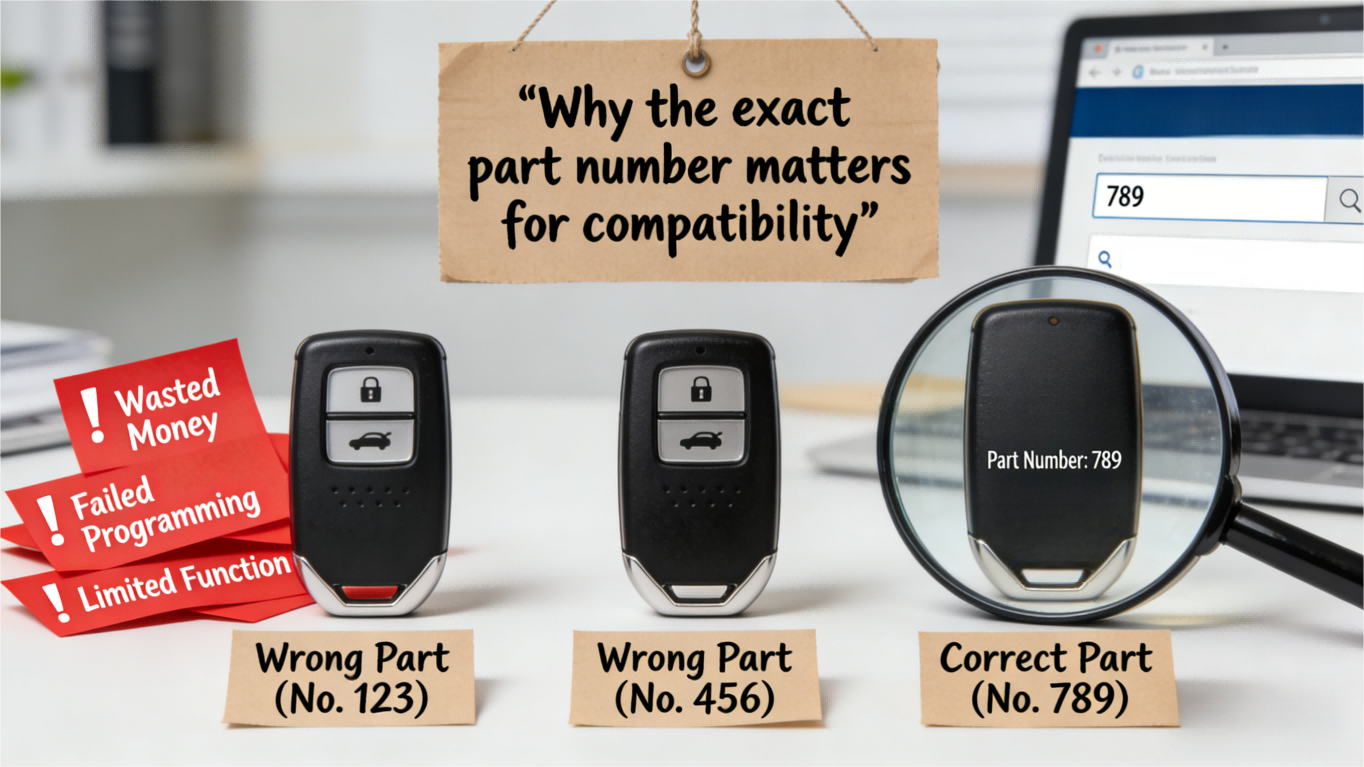
Why the exact part number matters for compatibility
Matching the exact key fob part number (or a confirmed cross-reference) matters because:
- Different trims and years of the same model can use different remotes
- Remote start, power tailgate, and panic buttons change the part number
- Wrong part number = wasted money, failed programming, or limited function
When I help customers, I always tell them:
- Match the part number
- Confirm FCC ID and frequency
- Make sure button layout and functions match your original
If You Still Can’t Find the Part Number
If you still can’t see any labels or codes, here’s exactly what I do to track down a hidden key fob part number.
Double‑check all common locations again
Go back over the fob slowly:
- Back of the key fob housing – tiny engraving, faint print, or a worn‑off sticker
- Inside the battery compartment – label under the battery, on the cover, or on the plastic frame
- On the circuit board – “Part #”, “P/N”, or a code like HYQ, M3N, OUC, N5F, etc.
- Edges of the shell – side engraving or small molded characters
Use a flashlight and reading glasses if needed. A lot of “missing” part numbers are just very light or scratched.
Check your owner’s manual and paperwork
If the fob itself is bare, your car’s documents can still help:
- Owner’s manual “Keys & Keyless Entry” section
- Original window sticker or dealer invoice
- Any service or key replacement receipts
- For some brands, the manual lists the keyless entry remote identification or “remote transmitter model number”
These won’t always print the exact key fob part number, but they can confirm trim, options (like remote start), and system type.
Use your VIN to get the OEM key fob part number
If the fob has no markings, the VIN is your best backup:
- Call the dealership parts department with your VIN
- Ask for the OEM key fob part number and FCC ID for your exact year/trim
- Most brands can pull the correct keyless entry remote part number lookup directly from your VIN
Once you have that OEM number, you can plug it into a car remote part number finder or search it on our site. For example, if you drive a Cadillac SRX, you can match your OEM number to our Cadillac SRX key fob catalog to see compatible remotes.
When to call a locksmith or dealership for help
If you’re still stuck:
- Auto locksmith
- Can often ID the fob by frequency, blade style, and circuit board number
- Usually cheaper than the dealer for programming and replacement
- Dealership
- Best for complex systems, luxury brands, or when your VIN shows multiple options
- Can confirm remote key compatibility and whether you need remote start, hatch, panic, etc.
If your original key fob is completely lost, go straight to the VIN method and a pro (locksmith or dealer). That’s the fastest way to get the right OEM key fob part number and avoid buying a remote that can’t be programmed to your car.
Using the Part Number to Order the Right Replacement
Once you’ve found the key fob part number, use it correctly so you don’t waste money on the wrong remote.
How to Search Your Key Fob Part Number Online
When you search, always type the exact part number first, then add your vehicle info:
- Example search: “HYQ12BDM key fob part number 2015 Toyota Camry”
- Add details: year, make, model, engine, and “with/without remote start”
- Check product descriptions for:
- Supported years and trims
- FCC ID and frequency (e.g., 315 MHz, 433 MHz)
- Notes like “smart key,” “flip key,” or “keyless entry only”
If you drive a Jaguar, you can cross-check your part number against our Jaguar replacement key fob catalog to confirm compatibility.
Matching Part Numbers, FCC IDs, and Frequency
For keyless entry remote identification, you want all 3 to line up:
- Part Number (e.g., HYQ12BDM, M3N-32337100, GM# 13580802)
- FCC ID (e.g., KOBDT04A, M3N5WY8609, in “FCC ID: ABCDE12345” format)
- Frequency (commonly 315 MHz, 433 MHz, 902 MHz in the U.S.)
Aim for:
- Exact same part number = safest match
- Same FCC ID + same frequency = usually compatible, especially on OEM-style remotes
- If numbers are close but not exact, confirm fitment by vehicle year and trim before buying
OEM vs Aftermarket Key Fob Options
When you’ve got the right part number, you can decide between OEM and aftermarket:
- OEM key fobs
- Same as the original from the dealership
- Best for reliability and full feature support (remote start, power liftgate, etc.)
- Higher price, but fewer compatibility headaches
- Aftermarket key fobs
- Lower cost, solid option for basic lock/unlock and panic
- Quality varies by manufacturer
- Always confirm they match your key fob FCC ID, frequency, and button layout
We build our remotes to match original specs, so if your part number and FCC ID line up, programming and usage stay simple.
Common Mistakes When Ordering a New Key Fob
These are the problems I see all the time when people use a key fob part number location incorrectly or rush the order:
- Only matching by picture
- Shell can look identical while the frequency or circuit board number is different.
- Ignoring vehicle year/trim
- A 2017 and 2019 of the same model can use different transmitters. Always confirm by year/engine/trim.
- If you’re not sure, a VIN-based lookup from a dealer or locksmith can confirm the OEM part number.
- Confusing FCC ID and part number
- Example: FCC ID: M3N5WY8609 is not the same as Part #: 56046759. You need to check both.
- Overlooking remote start or smart key features
- Ordering a non-remote-start fob for a car with factory remote start (or vice versa) leads to dead buttons and wasted money.
- Not checking programming requirements
- Some remotes can be DIY-programmed; others need a dealer or locksmith with a scan tool. Factor that into your decision.
Key Fob Part Number FAQs
Where is the FCC ID usually printed on a key fob?
On most OEM key fobs, you’ll find the FCC ID in one of these spots:
- Back of the key fob housing – tiny printed text or laser-etched line (ex: “FCC ID: M3N5WY7837A”)
- Inside the battery compartment – on a small sticker under or beside the battery
- On the circuit board – silkscreened directly on the green board if there’s no outside label
If the back is totally blank, you’ll usually see the FCC ID and part number once you open the fob and check the battery area or circuit board.
Can you identify a key fob without opening it?
Sometimes, yes:
- Many remotes have the part number and FCC ID on the back label
- Some flip keys have the model number engraved in the plastic near the metal key blade
- A dealer or locksmith can often ID it by VIN and vehicle info even if the case is blank
If there’s no label at all, you’ll usually need to open the key fob safely and check for an internal sticker, circuit board number, or engraved part number.
Part number vs model number vs FCC ID
These three often show up together, but they’re not the same thing:
- Part number (PN / Part #)
- Used by the automaker or key manufacturer
- Example: HYQ14FBA, M3N-32337100, GMX-12345678
- This is the main code you use for key fob replacement part identification
- Model number
- Sometimes the same as the part number, sometimes a shorter code for the remote series
- Used more on aftermarket fobs and universal remotes
- FCC ID
- Required by the FCC, looks like: FCC ID: ABCDE12345
- Identifies the radio transmitter type and frequency, not the brand’s catalog part
- Helpful for keyless remote compatibility checks, especially when buying online
When you order a new keyless entry remote, match the part number first, then confirm the FCC ID and frequency if listed.
What if the original key fob is lost?
If your only key fob is gone, you still have options:
- Use your VIN to have a dealer or locksmith look up the OEM key fob part number
- Many U.S. drivers start by calling a mobile locksmith to avoid towing costs
- Check your owner’s manual, window sticker, or old service paperwork—sometimes the remote type or part reference is listed
Once you have the correct part number, you can order a replacement remote and get it cut/programmed locally.
How vehicle year and trim affect key fob part numbers
The same model car can use different key fob part numbers depending on:
- Model year – a 2017 and 2022 version of the same car often use different remotes
- Trim level – base vs premium (remote start, power tailgate, proximity key, etc.)
- Features – remote start, hatch release, panic button count, push-to-start vs standard key
That’s why I always tell customers in the U.S. market to confirm these three before ordering:
- Year, make, model, and trim
- Original part number / FCC ID (if available)
- Whether the car has push-to-start, remote start, or regular key turn
Matching those details to the exact key fob part number is what keeps you from ending up with a remote that won’t program to your vehicle.
